
 501, Fifth Avenue, Suite 805 New York, NY 10017
 info@techwize.com
 +1 (949) 887-0154
 TechWize

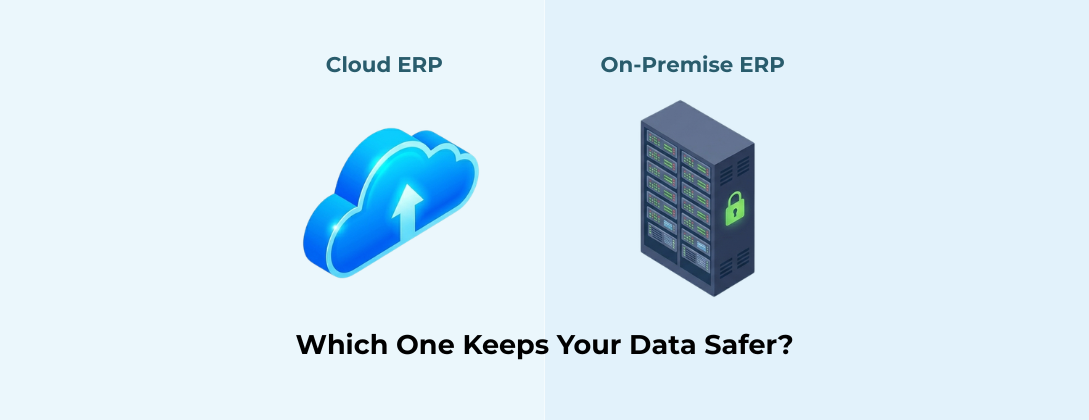
If you run a business in the USA today, you know that data is your most valuable asset. Whether it is customer lists, financial records, or secret recipes, losing this data or having it stolen is a nightmare. This is why choosing how to manage your business software—specifically your Enterprise Resource Planning (ERP) system—is such a huge decision.
For years, the standard was to buy a server, plug it into your office basement, and run your software there. This is called "On-Premise." But in the last decade, the world has shifted dramatically toward "Cloud" solutions.
Business owners often ask us: "Is my data actually safer on the Cloud, or should I keep it here where I can see it?" It is a valid fear. Putting your company's lifeblood on a server that you cannot physically touch feels risky. However, the reality of modern cybersecurity might surprise you. At TechWize, we believe that for the vast majority of businesses, the Cloud is not just more convenient—it is significantly safer.
Let's break down the facts in simple terms so you can make the best choice for your company's future.
What Are We Comparing? Understanding Data Safety
Before we dive in, let's clarify what we are talking about. An ERP system is the central nervous system of your business. It connects your accounting, sales, inventory, and human resources into one single platform.
When we talk about "On-Premise," we mean the software is installed on servers located physically at your business office. You own the hardware, and you are responsible for keeping it running.
When we talk about "Cloud ERP," we mean the software is hosted on the internet by a provider (like Microsoft Azure or Amazon Web Services). You access it through a web browser, just like you check your email.
Data safety isn't just about hackers. It is about availability, redundancy, and durability. Can you get to your data when you need it? Is it backed up in case a disaster strikes? We will look at all of these factors.
On-Premise ERP - The "Fortress" Approach to Security
Many business owners feel safer with On-Premise ERP because of the "Fortress" mentality. The logic is simple: "If my server is locked in my office, no one can touch it."
There is some truth to this. With an on-premise system, you have physical control. You know who walks into the server room. You control the internet connection. If the internet goes down in your neighborhood, you can still walk over to the server and plug in a monitor.
However, this fortress has major weak points. First, unless you are a massive corporation, you likely do not have a dedicated 24/7 cybersecurity team watching your server. You are relying on your IT staff—or perhaps an external guy who checks in once a week—to patch software, update firewalls, and monitor for intrusions.
Hackers know that small to medium businesses with on-premise servers are "low-hanging fruit." They often have older security systems and lack the advanced monitoring tools that big data centers have.
Cloud ERP – The "High-Security Vault" Approach
If On-Premise is a fortress, Cloud ERP is a high-security bank vault. When you move to the Cloud, you are essentially renting space in a fortress that costs billions of dollars to build.
Companies like Microsoft, Salesforce, and Oracle spend hundreds of millions of dollars annually on security. They hire the best hackers in the world to test their systems. They build data centers with biometric scanners, armed guards, and backup power generators that can run for weeks without grid electricity.
In the Cloud, your data is not just sitting on one server. It is often "sharded"—meaning it is broken into pieces and stored across multiple locations. If a hacker manages to get one piece, it is useless without the others.
Furthermore, Cloud providers update their security automatically. You don't have to worry about forgetting to install a patch. The "High-Security Vault" is constantly maintained, monitored, and upgraded without you lifting a finger. For a business in the USA, this level of security is impossible to replicate on your own.
Key Security Differences of Cloud ERP and On-Premise ERP
To make this clear, here is a simple comparison of who is responsible for what in an On-Premise setup versus a Cloud setup.
|
Security Feature |
On-Premise ERP (Your Responsibility) |
Cloud ERP (Provider's Responsibility) |
|
Physical Security |
You. You must lock the server room, hire security guards, and control who enters the building. |
The Provider. They use biometric scanners, 24/7 surveillance, and armed guards at their data centers. |
|
Hardware Maintenance |
You. If a hard drive fails or a power supply breaks, you must buy the parts and fix it. |
The Provider. They automatically replace failing hardware and handle power and cooling. |
|
Network Protection |
You. You must buy and configure firewalls to stop hackers from entering your network. |
The Provider. They have enterprise-grade firewalls and DDoS protection to block massive attacks. |
|
Software Updates |
You. You must install security patches and updates manually, or risk leaving doors open for hackers. |
The Provider. They update the system automatically, often without you even noticing. |
|
Data Backups & Disaster Recovery |
You. If there is a fire or flood, you must hope your backups work and are stored off-site. |
The Provider. Your data is copied across multiple locations in real-time, ensuring it survives any disaster. |
|
User Access & Passwords |
You. You manage who has a login and what they are allowed to see. |
Shared. The provider secures the system, but you still control your employees' passwords and permissions. |
The Role of Custom ERP Implementation in Security
One size rarely fits all in business. This is where Custom ERP Implementation comes into play. Customization allows you to tailor the software to fit exactly how your business operates, which actually enhances security.
How? Think of it like a house. A standard house has a front door and a back door. If you have a lot of valuables (data), you might want to add a safe room. A custom implementation allows you to build that "safe room."
You can set up custom fields that are only visible to senior management. You can automate workflows so that sensitive financial data is only accessible when a specific approval process is followed. When you work with experts to customize your ERP, you are removing unnecessary access points and tightening the ship.
A generic, out-of-the-box system often leaves too many doors open because it tries to be everything for everyone. Customizing it closes the doors you don't need.
Managing the Human Factor - Access Control and Identity Management
The weakest link in any security system is not the computer - it is the human being. People use weak passwords like "123456." They click on links in phishing emails. They leave their laptops unlocked in coffee shops.
Cloud ERPs excel at managing the human factor through advanced Identity and Access Management (IAM).
In the Cloud, you can easily enforce Multi-Factor Authentication (MFA). This means even if a hacker steals an employee's password, they cannot log in without the code sent to the employee's phone.
Cloud systems also allow for granular access control. You can say, "John in Sales can see customer names, but he cannot see their credit card numbers." You can restrict access based on location. For example, you can block access to the ERP from any country other than the USA.
Doing this with an On-Premise system is complicated and expensive. With Cloud, it is often just a few clicks.
Regulatory Security Compliance and Meeting Industry Standards
If you are in healthcare, finance, or government, you have strict rules to follow. In the USA, regulations like HIPAA (for health data) and SOX (for financial reporting) are non-negotiable.
On-Premise ERP makes compliance a manual headache. You have to prove that your server room is secure, that your backups are working, and that your encryption is up to date. This often requires expensive audits and the use of a reliable software audit platform to continuously monitor security and compliance risks.
Cloud providers, on the other hand, undergo these audits constantly. They provide you with "compliance inheritability." This means that because they are compliant, a large portion of your compliance is already handled. You simply have to manage your specific user settings.
This does not mean you are automatically compliant—you still need to configure the system correctly—but the heavy lifting of infrastructure compliance is done for you.
Custom Cloud ERP Implementation - Does Tailoring Affect Security?
Some business owners worry that if they choose a Custom ERP Implementation in the Cloud, they might compromise the security features. They worry that adding custom code might create "holes" for hackers.
This is a valid concern, but only if the customization is done poorly. A professional Custom ERP Implementation respects the security framework of the Cloud.
In fact, Cloud platforms offer low-code or no-code tools that let you customize the system without touching the core security code. You can change the look, the fields, and the workflows without risking the underlying structure.
Think of it like customizing the interior of a car. You can change the seats and the steering wheel without messing with the engine or the brakes. As long as the customization is done by certified partners who follow the platform's guidelines, your security remains intact—or even gets better.
Hybrid ERP: Is the Middle Ground the Safest Option?
We often talk to clients who want a "Hybrid" approach. This means keeping some sensitive data on-premise and moving other data to the Cloud. It sounds like a good compromise, but is it the safest?
The honest answer is: usually, no.
Hybrid ERP creates complexity. Complexity is the enemy of security. When you have a Hybrid system, you have to secure two different environments. You have to ensure the connection between your office server and the Cloud is airtight. You have doubled your attack surface.
However, Hybrid ERP does allow for flexibility. For example, a hospital might keep patient records on a secure local server to satisfy specific old regulations, but use Health Cloud solutions for patient appointment scheduling and telemedicine. Or a manufacturing plant might keep its machine data on-site to avoid latency issues, but use Marketing Cloud to manage its global customer campaigns.
A utility company might use Field Service apps in the Cloud to dispatch technicians, while keeping their historical legacy data on a local server. These integrations work, but they require expert setup to ensure the "bridge" between the two worlds doesn't become a security risk.
While Hybrid is an option, for the highest level of safety with the lowest headache, a full Cloud migration is generally the superior choice.
TechWize Your End-to-End Cloud ERP Implementation Partner
Moving to the Cloud is a journey, and you shouldn't do it alone. You need a partner who understands the technology and the unique needs of US businesses.
At TechWize, we specialize in guiding companies through this transition. We don't just sell software; we provide a comprehensive CRM and ERP Implementation Service designed to lock down your data while streamlining your operations.
We analyze your current security gaps, design a Cloud architecture that fits your budget, and handle the technical heavy lifting. We ensure that your custom implementation doesn't compromise safety, and we train your team on how to stay secure in the new environment.
Whether you are looking to integrate Marketing Cloud for better sales outreach, implement Health Cloud for patient management, or deploy Field Service solutions for your technicians, TechWize ensures that every piece of the puzzle fits together securely.
Conclusion - Secure Your Future with a Cloud ERP
The question isn't just "Cloud vs. On-Premise." The question is, "How safe do you want your business to be?"
On-Premise security relies on you being perfect every single day—never missing a patch, never having a power outage, and never having a leaky pipe near your server. Cloud security relies on the combined resources of the world's largest technology companies.
The "Fortress" of On-Premise is sturdy, but it is isolated and vulnerable to modern, sophisticated attacks. The "High-Security Vault" of the Cloud is connected, intelligent, and constantly evolving to fight new threats.
For businesses looking to grow and stay safe in a digital world, the Cloud is the clear winner. Don't let old fears hold your data hostage. Embrace the Cloud, and let TechWize help you build a safer, smarter future.