
 501, Fifth Avenue, Suite 805 New York, NY 10017
 info@techwize.com
 +1 (949) 887-0154
 TechWize
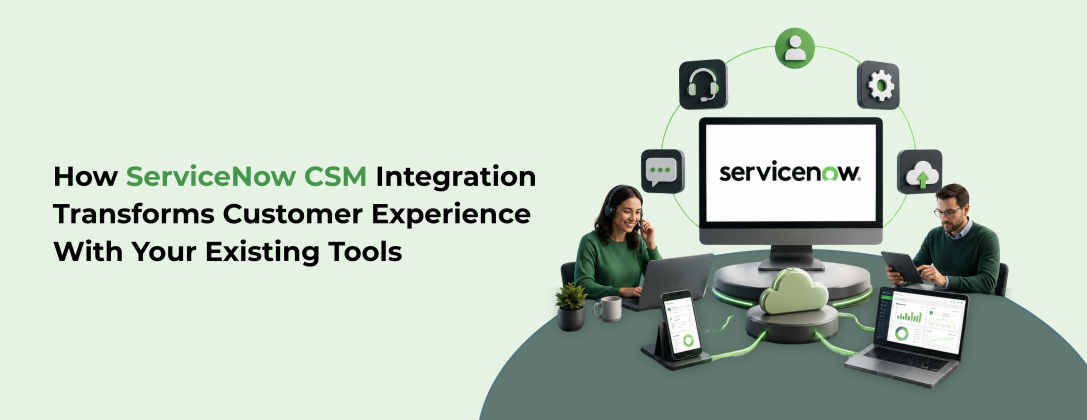
Customer expectations are not just rising; they are accelerating at a pace that most businesses struggle to match. A single poor service interaction can cost you more than one customer. Research shows that 32% of customers will walk away from a brand they love after just one bad experience (source: PwC). For businesses that rely on multiple enterprise tools to manage customer interactions, the challenge becomes even more complex.
This is where ServiceNow Customer Service Management (CSM) steps in as a game-changer. It does not just manage customer issues; it connects your entire business ecosystem to resolve them faster, smarter, and with full context. From CRM platforms to ERP systems and field service tools, ServiceNow CSM acts as the central nervous system of your customer service operations.
In this blog, we explore how ServiceNow CSM integrates with your existing tools, why those integrations matter for customer experience, what best practices you should follow, and how the right ServiceNow CSM consultation service can set your business up for long-term success.
What Is ServiceNow CSM and Why Does Integration Matter?
ServiceNow Customer Service Management is a cloud-based module within the ServiceNow platform that enables organizations to deliver connected, efficient, and proactive customer service. It brings together customer interactions, service workflows, cross-functional teams, and business data into one unified environment.
Unlike traditional ticketing systems, CSM in ServiceNow is built for end-to-end service resolution. It empowers customer service agents with context, automates repetitive workflows, and enables collaboration across departments such as IT, field service, and operations, all from a single platform.
But the real power of CSM only activates when it is integrated with your existing enterprise tools. Customers today interact with businesses through multiple touchpoints: email, chat, phone, CRM portals, and more. If these systems are siloed, agents lack context, resolution times increase, and customer satisfaction drops.
Integration solves this by ensuring data flows seamlessly between systems, eliminating manual handoffs, and enabling faster, more informed service. According to a report by Salesforce, 78% of customers expect consistent interactions across departments, yet 59% say it feels like they are communicating with separate entities rather than one company (source: Salesforce State of the Connected Customer, 2023).
A well-executed IT Service Management (ITSM) strategy combined with ServiceNow CSM integration bridges that gap effectively.
Key Integration Capabilities of ServiceNow CSM
ServiceNow CSM offers a robust set of integration options, each designed to address different business requirements. Here is a closer look at each capability and how it contributes to better customer service.
1. REST and SOAP APIs for Real-Time Data Exchange
ServiceNow CSM provides both REST and SOAP APIs, enabling direct, real-time communication between ServiceNow and external platforms. Whether it is your CRM, ERP, or a custom-built application, these APIs allow external systems to create, read, update, or delete customer service records without any manual intervention.
For instance, when a customer submits a complaint through your CRM, the API can automatically generate a case in ServiceNow CSM, assign it to the right team, and trigger a resolution workflow all within seconds. This level of automation dramatically reduces response times and ensures that no issue slips through the cracks.
APIs are particularly valuable for organizations that need precise control over system interactions or have complex data requirements that pre-built connectors cannot accommodate.
2. Service Graph Connectors for Structured Data Ingestion
Service Graph Connectors are purpose-built to pull structured data from external systems into the ServiceNow CMDB (Configuration Management Database). These connectors normalize and validate incoming data from cloud providers, infrastructure platforms, and enterprise tools, making it accurate and reliable.
For CSM, this enriched data gives agents a complete picture of the customer's environment. If a customer reports an issue with a specific product or service, the agent can immediately see the related infrastructure, past incidents, and service dependencies, leading to faster and more accurate resolutions.
3. Integration Hub for Low-Code Automation
Integration Hub is one of ServiceNow's most powerful tools for businesses that want agility without heavy development overhead. It uses pre-built connectors called "spokes" to connect ServiceNow CSM with hundreds of enterprise tools, including Salesforce, Microsoft Teams, Jira, SAP, and more.
With Integration Hub, teams can automate cross-platform workflows with minimal coding. For example, when a high-priority case is created in ServiceNow, Integration Hub can automatically notify the relevant team on Microsoft Teams, escalate it in Jira, and update the customer's record in Salesforce, all in one automated flow.
This capability is especially critical for businesses seeking a scalable ServiceNow CSM solution that can grow with their operations without requiring constant developer intervention.
4. Custom Scripts for Complex Business Logic
For scenarios where out-of-the-box tools are not sufficient, ServiceNow allows developers to write custom scripts that run server-side or client-side. These scripts can call external APIs, transform data formats, enforce specific business rules, or handle edge cases unique to your organization.
Custom scripting is the right approach when an organization has highly specialized workflows or unique integration requirements that no pre-built connector covers. While it requires more development effort, it delivers a level of precision and flexibility that is unmatched.
5. Third-Party Plugins for Departmental Collaboration
ServiceNow CSM supports a broad ecosystem of third-party plugins that make it easy to connect with specialized tools across different departments. This is critical because resolving customer issues often requires coordination between customer service, IT operations, field service, and finance.
Plugins eliminate data silos, ensure that all teams are working with the same information, and enable smoother handoffs between departments. The result is a faster, more consistent service experience for the customer.
How ServiceNow CSM Integrations Improve Customer Experience
When integrated correctly, ServiceNow CSM delivers measurable improvements across every stage of the customer service lifecycle.
Faster Case Resolution
With data flowing automatically between systems, agents spend less time gathering information and more time solving problems. Automated routing, intelligent assignment, and cross-system visibility all contribute to significantly reduced resolution times.
Proactive Service Delivery
CSM integrations allow businesses to detect and address potential issues before they escalate. For example, integrating CSM with IT Operations Management (ITOM) enables the system to identify infrastructure issues that could impact customers and trigger proactive outreach, turning a reactive support model into a proactive one.
Personalized Customer Interactions
When your CSM system is connected to your CRM and other customer data platforms, agents have full context, including purchase history, past interactions, account details, and preferences. This context enables more personalized and empathetic service, which builds customer loyalty.
Seamless Omnichannel Experience
ServiceNow CSM integrations unify customer interactions across channels, whether by phone, email, chat, or self-service portals. Customers no longer have to repeat themselves when switching channels because all interactions are captured and visible across the system.
AI-Powered Service Enhancement
Modern ServiceNow CSM implementations increasingly leverage ServiceNow AI Agents to automate routine inquiries, predict issue categories, recommend resolution steps, and even resolve issues autonomously. When these AI capabilities are integrated with your existing tools, they deliver a service experience that feels both fast and intelligent.
Best Practices for ServiceNow CSM Integration
Implementing integrations without a structured approach can create more problems than they solve. Follow these best practices to ensure your ServiceNow CSM integrations deliver real value.
Choose the Right Integration Method
Match your integration approach to the complexity and real-time requirements of each use case. APIs work best for real-time, precision-controlled communication. Integration Hub excels in low-code automation scenarios. Service Graph Connectors are ideal for structured CMDB data ingestion. Custom scripts are reserved for highly specialized workflows.
Prioritize Data Quality and Consistency
Define clear data standards, field mapping conventions, and validation rules across all integrated systems. Poor data quality leads to misrouted cases, incorrect information shown to agents, and eroded trust in the system. Use normalization and reconciliation rules to keep your data clean.
Design for Scalability From Day One
Build your integrations to handle growing data volumes and increasing system complexity. Use asynchronous processing, limit redundant API calls, and optimize your workflows for performance. A scalable design ensures your CSM platform continues to perform well as your business grows.
Build Robust Error Handling and Monitoring
Every integration should include structured error handling, logging, and alerting. Silent failures are dangerous in customer service environments because they delay resolution and damage customer trust. Use monitoring dashboards to track integration health and receive real-time alerts when issues arise.
Secure Every Integration Point
Customer data is sensitive. Use encrypted connections, secure authentication methods such as OAuth 2.0, and the principle of least privilege when granting system access. Conduct regular security audits and credential reviews to prevent unauthorized access and ensure compliance with data protection regulations.
Document Everything and Enforce Governance
Maintain comprehensive documentation for every integration, including data flow diagrams, field mappings, business logic, and dependencies. Apply governance standards such as naming conventions, version control, and change management to keep integrations organized and maintainable over time.

Ready to Transform Your Customer Service With ServiceNow CSM
At Techwize, our certified ServiceNow experts bring deep platform knowledge and real-world implementation experience to help you build integrations that actually work. Whether you are starting from scratch or optimizing an existing setup, we deliver solutions tailored to your business needs.
Book Your Free Consultation TodayTechWize: Trusted ServiceNow CSM Consulting Company
TechWize provides ServiceNow CSM services, but realizing its full potential requires more than just switching it on. A professional ServiceNow CSM implementation service ensures that your integrations are designed correctly from the start, aligned with your business workflows, and built to scale.
Expert consultants assess your existing tool landscape, identify the right integration methods, and configure CSM to work seamlessly with your specific environment. They also help you avoid common pitfalls like poor data mapping, security gaps, and unsustainable custom code.
Whether you are implementing CSM for the first time or expanding its capabilities, working with a certified ServiceNow CSM Consultation Service gives you access to deep platform expertise, proven methodologies, and accelerators that reduce implementation time and risk.
Read Similar Blog
ServiceNow CSM Integration Guide: Smarter Enterprise Connections
Explore More ServiceNow CSM Insights ⬩➤Conclusion
ServiceNow CSM is far more than a customer ticketing tool. It is a comprehensive ServiceNow CSM solution that connects people, processes, and systems to deliver faster, smarter, and more personalized customer service. When integrated with your existing enterprise tools, from CRMs and ERPs to AI agents and ITOM platforms, it transforms customer service from a cost center into a competitive advantage.
The right integrations, implemented with the right approach, can redefine what great customer experience looks like for your organization.