
 501, Fifth Avenue, Suite 805 New York, NY 10017
 info@techwize.com
 +1 (949) 887-0154
 TechWize

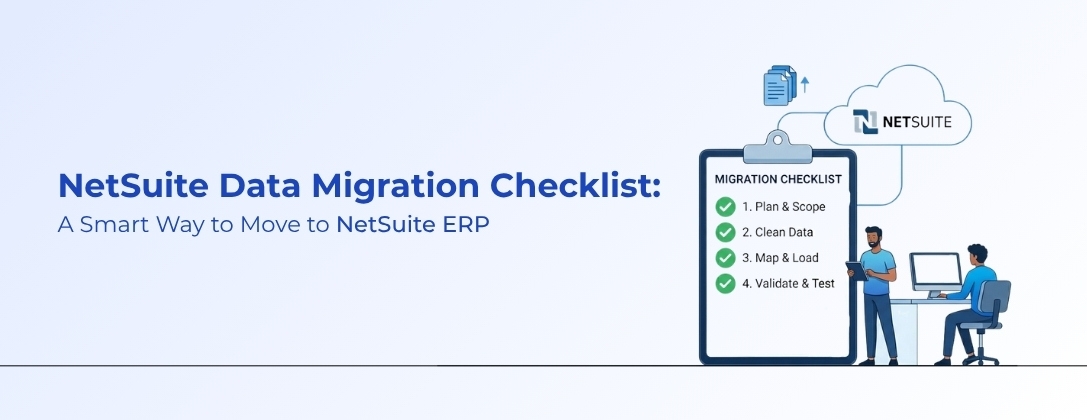
Moving to a new Enterprise Resource Planning (ERP) system is a major milestone. It promises greater efficiency, clearer visibility, and faster growth. However, success relies less on the software and more on your data input.
Your new ERP system is like a brand-new house. No matter how modern, if it is filled with broken furniture and unneeded junk, it will never feel like home. Data migration means carefully selecting your best belongings, cleaning them, and placing them in the right rooms.
For U.S. companies modernizing, Oracle NetSuite is a top choice. But without a solid plan, data migration can be messy. This blog offers a simple, detailed NetSuite Data Migration Checklist to guide your journey.
Why Is Data Migration So Important to a NetSuite ERP Implementation?
Many people think data migration is simply copying and pasting files from an old system to a new one. This is a dangerous misconception. Data migration is a foundational part of a NetSuite ERP implementation.
If your data is inaccurate, incomplete, or messy when it enters NetSuite, your reports, inventory, and invoicing will all be affected. The "Garbage In, Garbage Out" rule applies. A successful migration ensures business continuity, reliable decision-making, and the maintenance of historical integrity.
- Business Continuity: You can pick up where you left off without losing sales or productivity.
- Decision Making: Management can trust the dashboards and reports in NetSuite on day one.
- Historical Integrity: You retain access to your customer history and transaction records, which is vital for relationships and compliance.
Investing time in planning your migration is not just an IT task; it is a business strategy task. Key takeaway: Effective planning at this stage is essential to reduce risks and set clear migration goals.
Step-by-Step Approach to NetSuite Data Migration
We break this complex process into six clear stages. Following them reduces errors and stress.
Stage 1 – Strategic Planning and Scope Definition
You cannot move everything. First, decide what must move.
Gather stakeholders from sales, finance, operations, and IT. Ask what data is essential for day-to-day operations after Go-Live. You likely don’t need every invoice from ten years ago. Keep current customer lists, open balances, and item histories.
In this phase, clearly define the scope to prevent "scope creep." Identify if you need to manage complex needs, such as subsidiaries. Global businesses may require a NetSuite OneWorld implementation to handle currencies, tax rules, and legal entities within a single migration strategy.
Stage 2 – Data Extraction and Audit
Once you know what to move, extract it from your old (legacy) system.
Extract data from spreadsheets, old ERPs, or CRMs. Audit it before loading into NetSuite. This is the cleaning phase.
Look for:
- Duplicates: Do you have "John Smith," "J. Smith," and "Jonathan Smith" who are all the same person?
- Inconsistencies: Are phone numbers formatted differently? Are state names spelled out or abbreviated?
- Obsolete Data: Are there customer records for companies you haven’t worked with in five years?
Cleaning the data at the source is much easier than fixing it later in NetSuite. In some cases, legacy data might be stored in fragmented document management systems. For businesses moving unstructured data alongside their ERP, integrating SharePoint Services can help streamline document management during the extraction phase. Key takeaway: Audit and clean data before importing to prevent downstream problems.
Stage 3 – Data Mapping and Transformation
Your old system likely speaks a different language than NetSuite. Stage 3 covers translation.
Data mapping links a field in your old system to one in NetSuite. For instance, "Client_Name" might map to "Customer Entity."
Next, transform data formats to NetSuite’s requirements.
- Example: Old system dates are DD/MM/YYYY; NetSuite needs MM/DD/YYYY. Change the format before loading.
This stage needs a deep understanding of NetSuite’s record structure. Service businesses must map project and resource data correctly to support Professional Services Automation (PSA), ensuring accurate billing, project tracking, and resource management. Key takeaway: Proper data mapping supports business operations and reporting accuracy.
Stage 4 – The Migration Process
This is the execution phase. Don’t migrate all data at once. Follow a tiered approach:
- Static Data: This data doesn’t change much. Open Transactions: ongoing activities like unpaid invoices and open orders. Migrate these seconds. unpaid invoices, open purchase orders, and pending sales orders. Migrate these seconds.
- Historical Data: Closed transaction history, used for reporting. Migrate last, or archive as read-only if too large.
Most experts use CSV files or integration tools, like NetSuite’s CSV Import Assistant or SuiteScript, to upload data. Run several "Mock Migrations" (practice runs) before the final load. Key takeaway: Mock migrations help identify issues early and raise confidence in the final migration.
Stage 5 – Testing and Validation (UAT)
Just because the data was uploaded without an error message doesn’t mean it is correct. This is where User Acceptance Testing (UAT) comes in.
Give your accountants, sales managers, and warehouse staff access to the system. Let them run their usual scenarios.
- Can the accountant create a new invoice?
- Can the warehouse manager see the correct stock levels?
- Does the customer balance match the old system?
Validate numbers. Compare the "Total Accounts Receivable" value between the old and new systems. If they don’t match, investigate. This stage is essential for a successful Go-Live. Key takeaway: Testing assures data quality, minimizing Go-Live surprises.
Stage 6 – Go-Live and Post-Migration Care
The big day is here. After the final, verified data load, you switch to NetSuite.
The work isn’t done. The first week is critical—monitor the system closely. Users often find issues that were missed during testing, such as missing customer preferences or odd formatting.
Have a support team ready for immediate fixes. Quick responses prevent user frustration and ensure adoption. Key takeaway: Responsive post-launch support leads to smooth transitions and greater system adoption.
The Essential NetSuite Data Migration Checklist
Stay on track with this simplified checklist. Print and check off items as you progress. Key takeaway: Checklists improve organization and ensure no step is overlooked during the migration.
Planning
- Identify the executive sponsor for the project.
- Form a migration team (IT, Finance, Operations).
- Define the scope: What historical years are we bringing over?
- Set a strict timeline for each stage.
Preparation & Audit
- Take a full backup of the legacy system.
- Export all required data (Customers, Vendors, Items, ledgers).
- Clean the data: Remove duplicates and fix spelling errors.
- Standardize formats (dates, currency, addresses).
Mapping & Setup
- Set up the Chart of Accounts in NetSuite.
- Create all necessary Custom Fields in NetSuite.
- Create a mapping document (Legacy Field -> NetSuite Field).
- Prepare import templates in CSV format.
Migration & Testing
- Perform a Trial Migration of static data.
- Verify the trial data in the NetSuite Sandbox environment.
- Perform a Trial Migration of open transactions.
- Conduct User Acceptance Testing (UAT) with key staff.
- Reconcile financial reports (Balance Sheet, P&L) between old and new systems.
Go-Live
- Plan the "Cutoff" time (when to stop working in the old system).
- Perform the final migration of open transactions.
- Verify the final data load.
- officially "turn on" NetSuite for business operations.
The Role of Professional Oracle NetSuite Consulting Services
You may ask, "Can we do this ourselves?" Technically, yes, but it is often risky. Data migration is complex, and mistakes are costly. Key takeaway: Expert guidance reduces risk and increases the likelihood of migration success.
Post-Migration Maintenance and Data Governance
Once migration is complete, shift focus to maintenance. How do you keep data clean?
Implement Data Governance. Set rules for who can enter data and how they can do so.
- Mandatory Fields: Ensure users cannot save a record without entering required fields (e.g., an email or phone number).
- Duplication Rules: Set up NetSuite to warn users when creating a record that already exists.
- Regular Audits: Schedule quarterly checks to review data quality.
For service companies, clean project data drives profitability. Use Professional Services Automation (PSA) in NetSuite to keep data organized post-migration, ensuring milestones, resources, and billing stay aligned.
As your tech stack grows, you may want to integrate NetSuite with other platforms. For example, service companies looking to modernize IT management may consider ServiceNow AI Agent Implementation to automate workflows. Structuring NetSuite data correctly now enables smoother future integration with AI platforms. Key takeaway: Well-structured data today enables seamless future integrations.
Why Choose TechWize for Seamless NetSuite Migration Services Company
NetSuite migration is complex. You need a partner who understands both technology and U.S. business. TechWize is a premier partner for your journey.
We don't just move data; we transform businesses. At TechWize, we understand that every company is unique. Our team of certified experts takes the time to understand your specific business logic, ensuring that the data migration supports your operational goals.
Whether you are moving from a legacy system like QuickBooks or a complex ERP like SAP, TechWize has the tools and the experience to make it happen. We pride ourselves on a "Zero Downtime" approach, ensuring your business operations run uninterrupted.
Our expertise goes beyond simple data entry. We assist with full-scale digital transformation. From setting up Oracle NetSuite Solutions to integrating them with other advanced enterprise tools, TechWize is your one-stop shop. We ensure that your data is not only moved securely but is set up to drive intelligent decision-making for years to come.
Conclusion: Your New Beginning with NetSuite ERP Success
Data migration is the bridge between your past and your future. It is a challenging process, but with the right preparation, checklist, and partners, it is also incredibly rewarding.
By following the steps outlined above, planning, cleaning, mapping, testing, and validating, you set your company up for a successful Go-Live. Don't let the fear of data migration hold you back from the benefits of a world-class ERP.
If you are ready to make the move but want expert guidance, TechWize is here to help. Let us handle the heavy lifting so you can focus on what you do best: growing your business. Welcome to your new beginning with NetSuite.